How to Register and Access Worksheets
We’ve been trying out a WordPress plugin to handle the user registration of this website. The detailed steps illustrated here will guide you on how to register.
Here are the screenshots of the registration process-
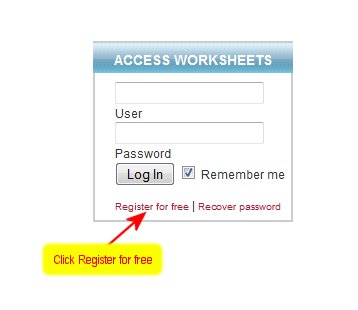
STEP 1 : Click “Register for Free”
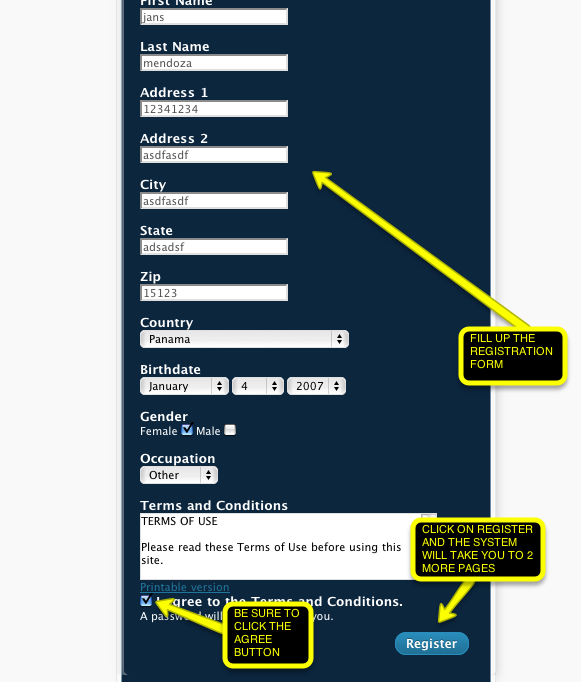
STEP 2: Fill out your details on the Registration Page. IMPORTANT: Choose a one-word username. Do not put space.
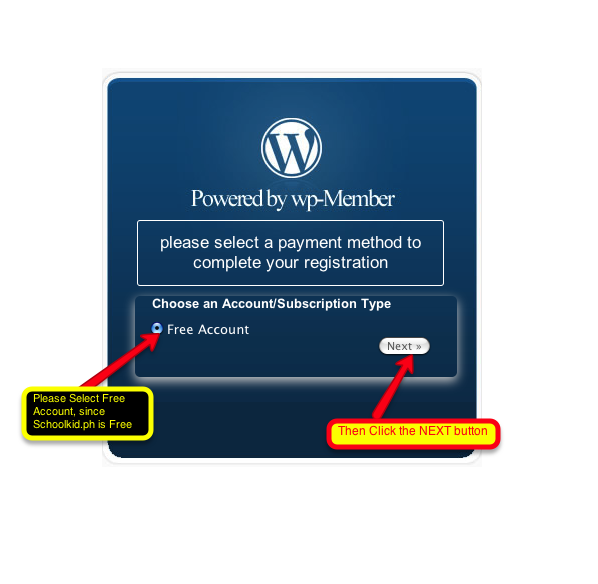
STEP 3: Select “Free Account”
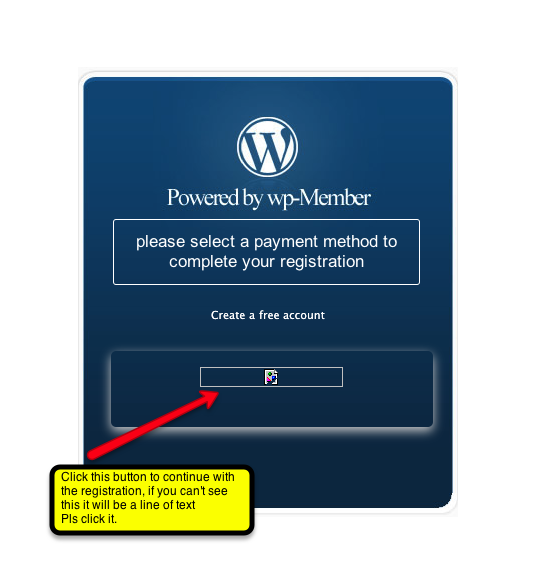
STEP 4: Click the “Free” Button
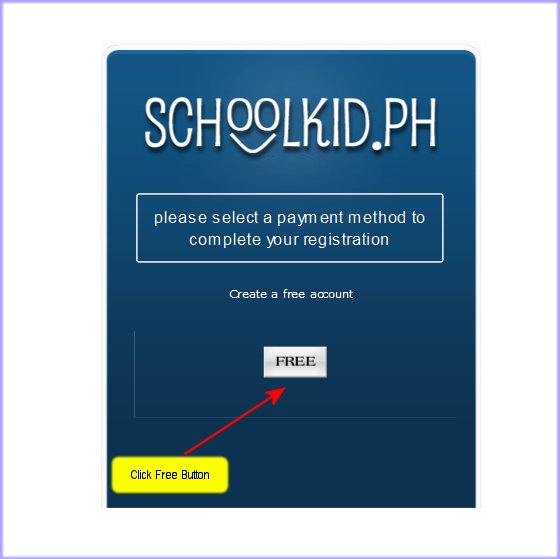
But if you don’t see the “Free” Button, click on the faint words “Sign Up for Free Account”
STEP 5: Check your email to get your password.
STEP 6: Your registration is complete. You are now ready to log in.
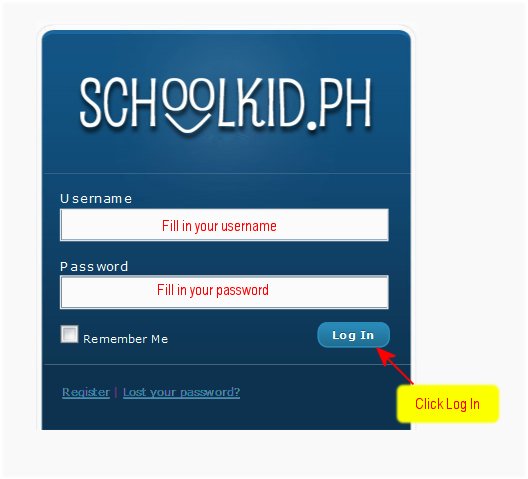
You can also change your password by going to your user profile.
I hope this helps!! PLEASE CHOOSE A ONE-WORD USERNAME. No spaces.
No Comments »